


01
Runs continuously
Frameworks like SOC 2 and CMMC require 12+ months of evidence. This builds that trail in the background, every day.
ScalePad workflows
ScalePad products work together across planning, quoting, backup oversight, and compliance evidence so MSPs can move from insight to action without rebuilding context in another tool.
Workflow Scenarios


ControlMap
3 scenariosAutomatically flow asset evidence from Lifecycle Manager into ControlMap, so controls can stay mapped, current, and audit-ready.
Turn ControlMap remediation work into Lifecycle Manager initiatives with ownership, timing, roadmap context, and client accountability.
Bring ControlMap risk themes into Lifecycle Manager Deliverables so compliance posture becomes a clear executive narrative for QBRs.
Lifecycle Manager + ControlMap
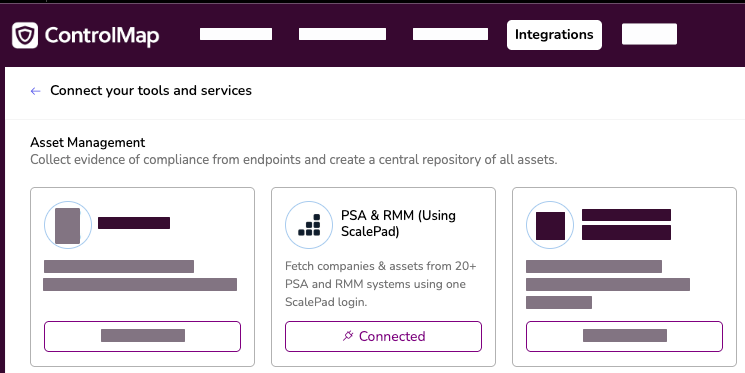
Automatically flow asset evidence from Lifecycle Manager into ControlMap, so controls can stay mapped, current, and audit-ready.
The integration pulls your full asset inventory (servers, VMs, workstations, network gear) into ControlMap on a schedule you set. From there, compliance checks run automatically and map directly to framework controls. Antivirus status maps to CIS Control 10.1. Asset inventory maps to CIS Control 1.1. No manual evidence gathering. No scrambling before an audit.
Simple, two-step setup: connect Lifecycle Manager, set a scan schedule. That's it. Your clients' assets become mapped, auditor-friendly evidence automatically.
Frameworks like SOC 2 and CMMC require 12+ months of evidence. This builds that trail in the background, every day.
The asset view shows you exactly which systems are failing a check — so you know where to remediate before an auditor does.
Covers the frameworks your clients care about — CIS Controls, ISO 27001, SOC 2, CMMC, NIST CSF, and more.
Lifecycle Manager + Quoter
Create a quote directly from a Lifecycle Manager initiative and keep the quote linked to the originating client and roadmap recommendation.
Lifecycle Manager and Quoter connect planning with execution so MSPs can turn an approved initiative into an active quote without losing the client context behind the recommendation.
When the workflow starts in Lifecycle Manager, Quoter can use the contacts already associated with that client and attempt to match them against connected PSA records such as ConnectWise or HaloPSA. If no stronger match exists, Quoter falls back to the contact data available from Lifecycle Manager.
The result is a cleaner path from client recommendation to commercial follow-through: less context switching, better visibility, and a tighter connection between roadmaps and revenue.
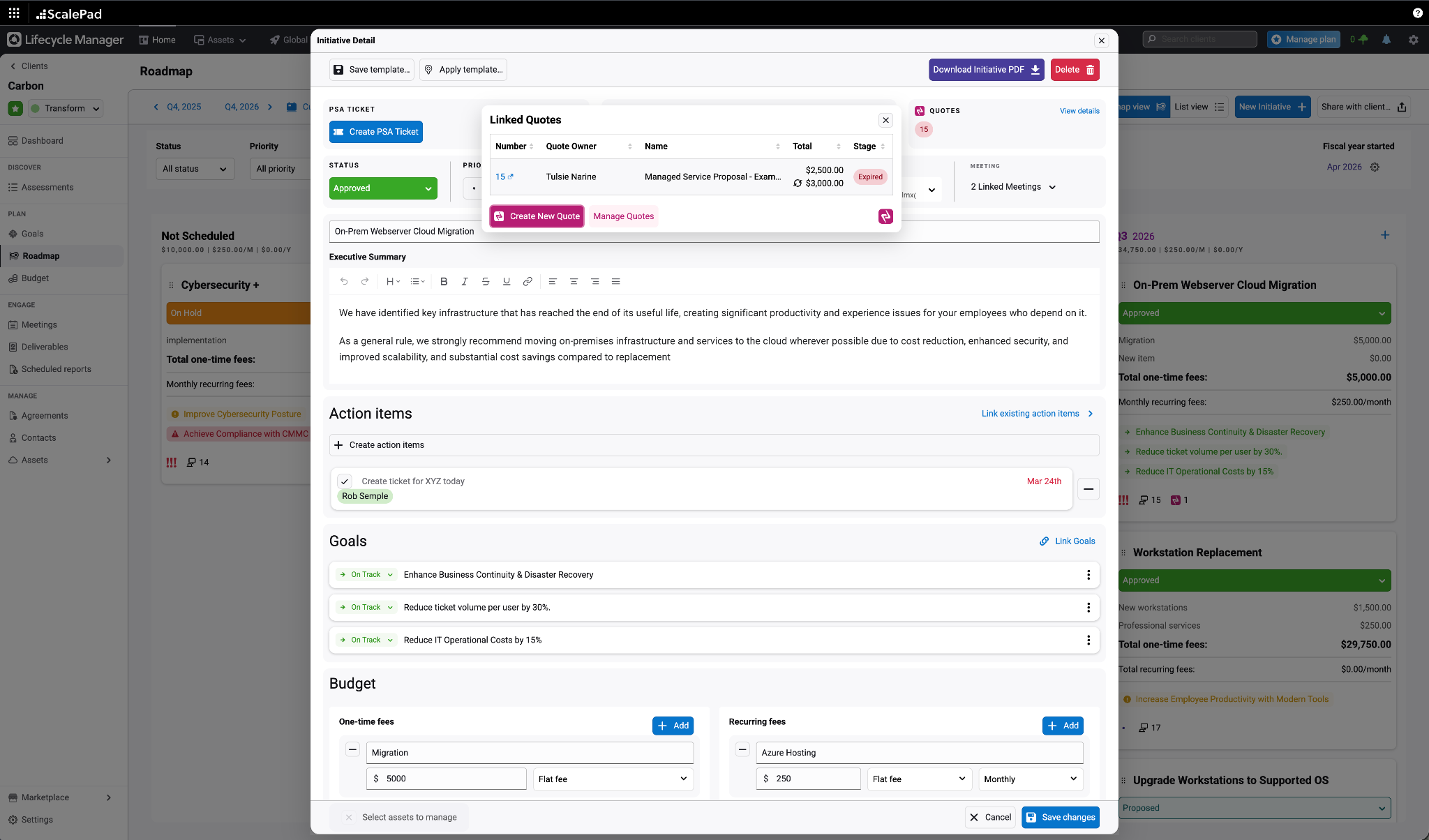
Start a new Quoter quote directly from a Lifecycle Manager initiative.
Use existing Lifecycle Manager client contacts to speed up quote setup.
Automatically link the quote back to the originating initiative after sync.
Lifecycle Manager + Backup Radar
Surface backup monitoring context inside Lifecycle Manager so teams can spot devices that exist in planning but are not yet covered in Backup Radar.
Connecting Backup Radar with Lifecycle Manager adds backup monitoring insights directly inside client planning, making it easier to identify devices that are not configured for monitoring.
MSPs can quickly identify backup coverage gaps across servers, workstations, and virtual machines, helping teams catch blind spots earlier and bring stronger backup visibility into client reviews.
This extends Lifecycle Manager's client view with backup context, giving teams a more complete picture of where devices are protected and where remediation is still needed.
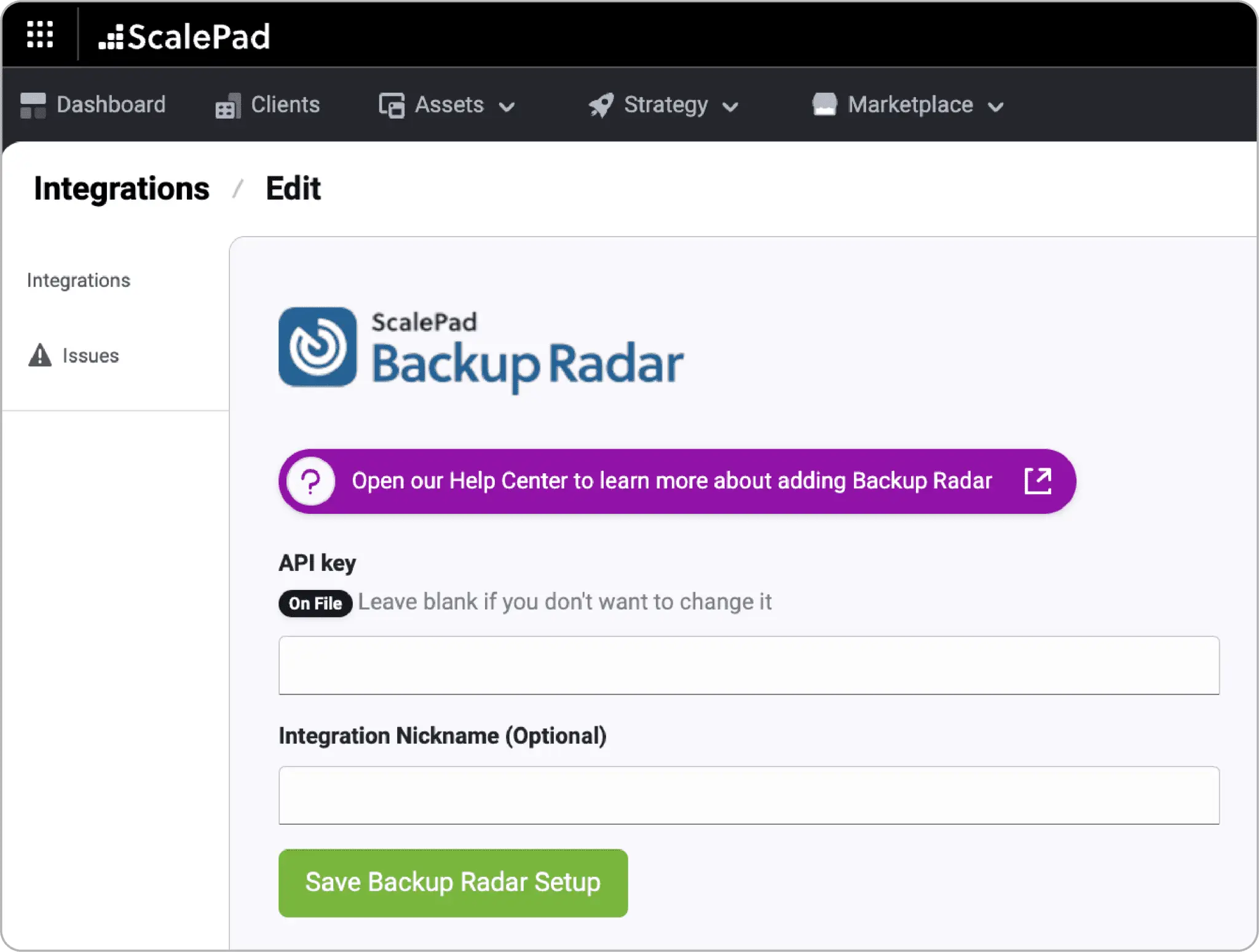
See backup monitoring context where roadmap and client review conversations happen.
Spot devices without backup monitoring coverage, not just backup job results.
Identify backup gaps during onboarding and ongoing client service reviews.
Lifecycle Manager + ControlMap
Turn ControlMap remediation work into Lifecycle Manager initiatives with ownership, timing, roadmap context, and client accountability.
Coming Soon
This workflow scenario is being prepared for release. Details may evolve as the connected experience moves closer to launch.
Compliance work often fails at the handoff. ControlMap can identify what needs to happen, but that work needs to land where account managers and vCIOs actually manage client priorities: Lifecycle Manager.
This workflow is designed to turn remediation from another compliance checklist into visible client progress, with owners, timing, roadmap context, and strategic accountability attached to the next step.
Lifecycle Manager
Customer Success Platform
ControlMap
Compliance, vCISO & GRC
These workflows connect ScalePad products around a shared client outcome, so planning, operations, sales, and compliance teams can act from the same context.
Convert ControlMap action items into Lifecycle Manager initiatives where client priorities are already managed.
Give remediation work a clear owner, target window, and follow-through path instead of leaving it buried in a compliance queue.
Show clients how remediation supports the broader lifecycle plan, not just a single framework requirement.
Lifecycle Manager + ControlMap
Bring ControlMap risk themes into Lifecycle Manager Deliverables so compliance posture becomes a clear executive narrative for QBRs.
Coming Soon
This workflow scenario is being prepared for release. Details may evolve as the connected experience moves closer to launch.
Risk is most useful when it reaches the client conversation in a format executives can understand. A native ControlMap risk summary inside a Lifecycle Manager Deliverable would bring compliance posture, risk themes, and recommended next steps into the business review.
Instead of screenshots, manual exports, or a separate GRC readout, the risk story can become part of the client-facing narrative account teams already use. Risk should not live only in the compliance platform; it should show up in the business review as a clear executive narrative.
Lifecycle Manager
Customer Success Platform
ControlMap
Compliance, vCISO & GRC
These workflows connect ScalePad products around a shared client outcome, so planning, operations, sales, and compliance teams can act from the same context.
Translate compliance posture into a clearer executive summary for QBRs and strategic reviews.
Avoid screenshots, exports, and separate GRC readouts when account teams need to discuss risk with clients.
Connect risk themes to recommended actions so the conversation moves from awareness to progress.
Next Step
Review the product story, browse related integrations, or map the handoff with the team that owns the next action.