
Quoter integration
Zoho
Quoter + Zoho CRM
Quoter integrates seamlessly with Zoho CRM. When creating a quote you can search for an existing Zoho contact or create a new one automatically.
Our quoting software integrates seamlessly with Zoho CRM. Save your team hours spent creating and tracking quotes. Close deals faster and bring team visibility into sales performance.
Zoho CRM is a cloud-based platform that helps businesses manage sales, contacts, and customer interactions. It offers sales automation, workflow customization, email marketing, and AI-driven insights. Integrating with Zoho apps and third-party tools, Zoho CRM streamlines operations and enhances customer engagement.
Legacy integration content
What is Zoho CRM?
Zoho CRM is a cloud-based platform that helps businesses manage sales, contacts, and customer interactions. It offers sales automation, workflow customization, email marketing, and AI-driven insights. Integrating with Zoho apps and third-party tools, Zoho CRM streamlines operations and enhances customer engagement.
Why Quoter + Zoho?
Integrating Zoho CRM with Quoter streamlines workflows by syncing customer data, automating quote creation, and enabling accurate tracking. It enhances sales efficiency, reduces manual entry, and supports automated follow ups.
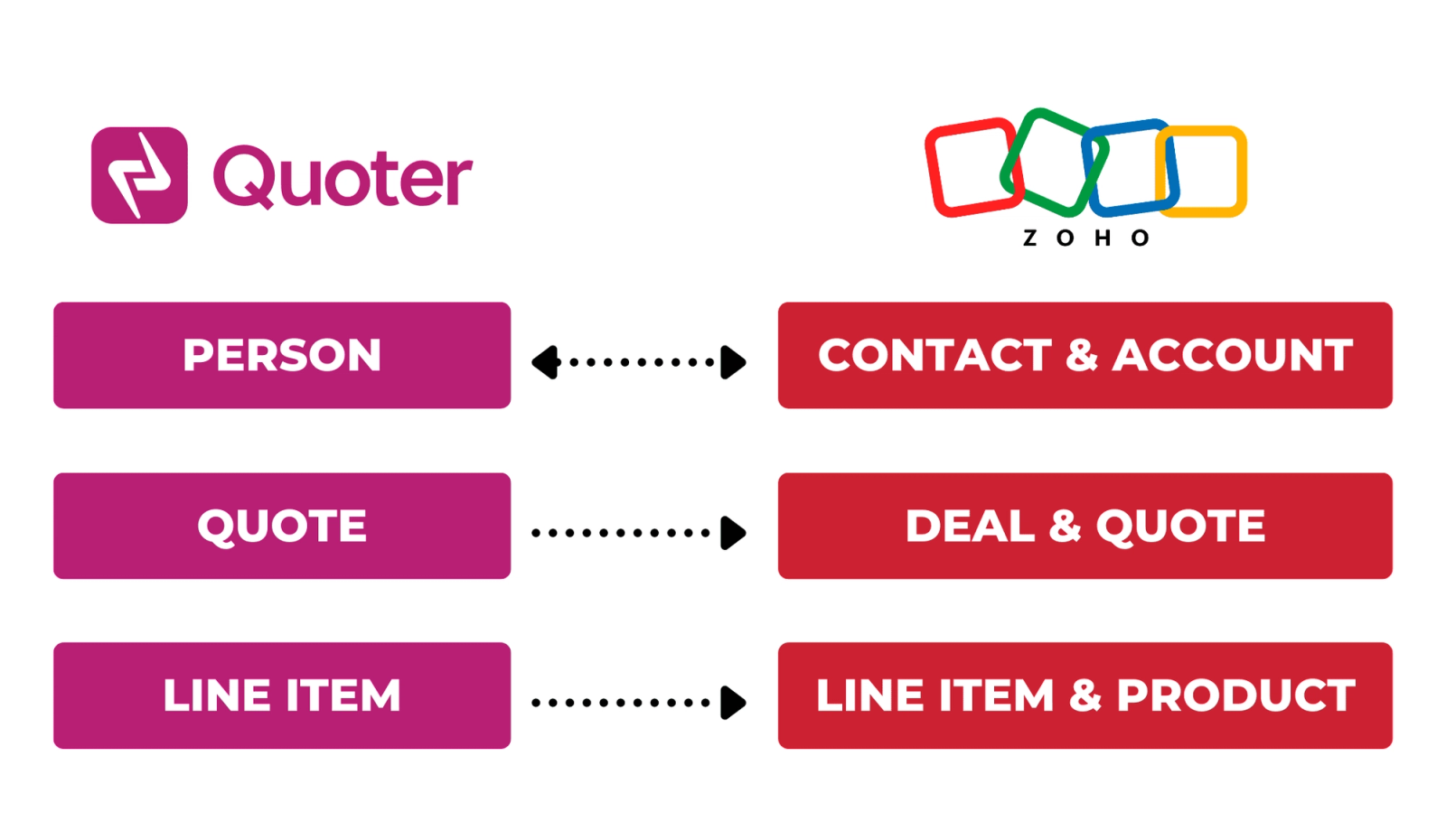
Create or Select an Existing Contact When a Quote or Person is created in Quoter, the customer's information will be automatically pushed to your Zoho CRM under Contacts and Account. If a Person with a matching email address already exists in Zoho, it will be updated.
Automatic Quote Push When a Quote is created in Quoter, the information will be pushed to Zoho Deal and a copy of the PDF version of the Quote will be added to the Deal under Attachment.
All your quotes in one place Track performance, follow up on pending deals and collaborate with the team more efficiently from within Quoter.
* For users of Zoho Professional plan or higher (with Quotes module), Quotes will also be created in Zoho and get associated to the Deal. PDF attachment will be pushed under Quote instead of Deal.
How to integrate Zoho + Quoter?
When signed in to your Quoter Account, navigate to Settings > Integrations to select Zoho CRM under CRM integrations.
Follow the step-by-step guide below:
Vendor family