

Quoter integration
Salesforce
Quoter + Salesforce
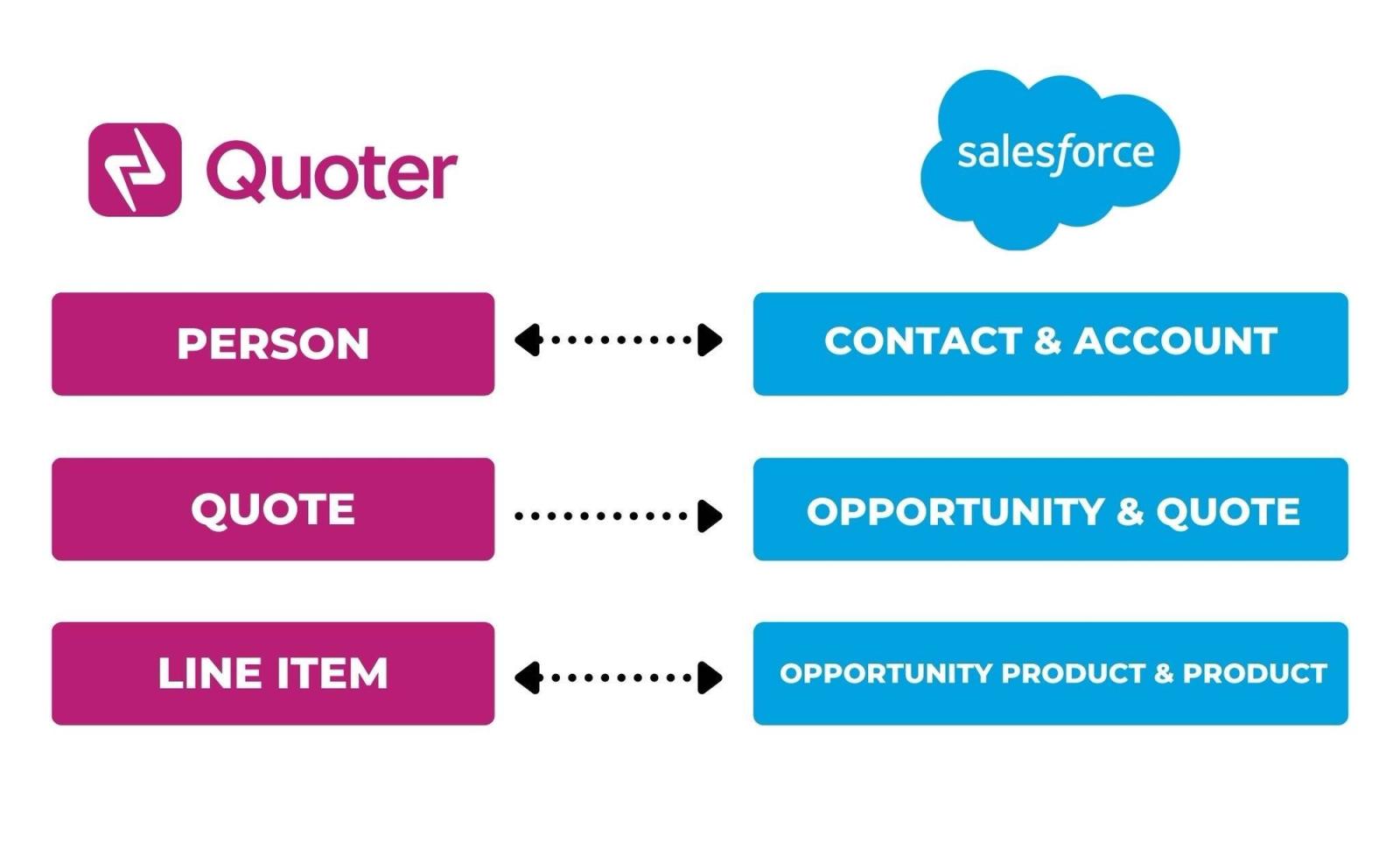
Quoter integrates seamlessly with Salesforce. When creating a quote you can search for an existing Salesforce Contact and Opportunity or create a new one automatically.
Our quoting software integrates seamlessly with Salesforce. Significantly reduce your time spent creating and tracking quotes by integrating Quoter with your CRM.
Salesforce is a cloud-based CRM platform that helps businesses manage sales, marketing, and customer service. It offers tools for tracking customer interactions, automating workflows, and analyzing data. Highly customizable and integrative, Salesforce enables organizations to improve customer engagement, boost sales, and streamline operations, making it a leading solution across industries.
Legacy integration content
What is Salesforce?
Salesforce is a cloud-based CRM platform that helps businesses manage sales, marketing, and customer service. It offers tools for tracking customer interactions, automating workflows, and analyzing data. Highly customizable and integrative, Salesforce enables organizations to improve customer engagement, boost sales, and streamline operations, making it a leading solution across industries.
Quoter integrates with Salesforce.
Why Quoter + Salesforce?
Integrating Quoter with Salesforce enables a more seamless, automated, and error-free quoting process, leading to improved productivity, more accurate pricing, and better overall service delivery.
Create or Select an Existing Contact Opportunity When creating a Quote in Quoter, you can search for an existing Salesforce Contact and Opportunity or create a new one automatically.
Build Quotes using Product and Services in your CRM Maintain a single source or truth for products and services to manage pricing and consistency.
Automatic Status Updates When a Quote is created or updated in Quoter, the Salesforce Opportunity will be updated with the value of the Quote.
All your quotes in one place Track performance, follow up on pending deals and collaborate with the team more efficiently from within Quoter.
How to integrate Salesforce + Quoter?
When signed in to your Quoter Account, navigate to Settings > Integrations to select Salesforce under CRM integrations.
Follow the step-by-step guide below:
Vendor family