

Quoter integration
Intuit
Quoter + QuickBooks Online
Our quoting software integrates seamlessly with QuickBooks Online (QBO). Save hours of admin time each week by automatically pushing quote and transaction data into QBO.
Our quoting software integrates seamlessly with QuickBooks Online (QBO). Save hours of admin time each week by automatically pushing quote and transaction data into QuickBooks.
QuickBooks Online is a cloud-based accounting software by Intuit, designed for small to medium-sized businesses. It simplifies financial management with tools for invoicing, expense tracking, payroll, tax preparation, and real-time financial reporting.
Legacy integration content
What is QuickBooks Online?
QuickBooks Online is a cloud-based accounting software by Intuit, designed for small to medium-sized businesses. It simplifies financial management with tools for invoicing, expense tracking, payroll, tax preparation, and real-time financial reporting.
Quoter integrates with all QuickBooks Online editions. This integration Does Not support QuickBooks Desktop or Hosted editions.
Why Quoter + QuickBooks?
Integrating Quoter with QuickBooks Online enables a more seamless, automated, and error-free quoting process, leading to improved productivity, more accurate pricing, and better overall service delivery.
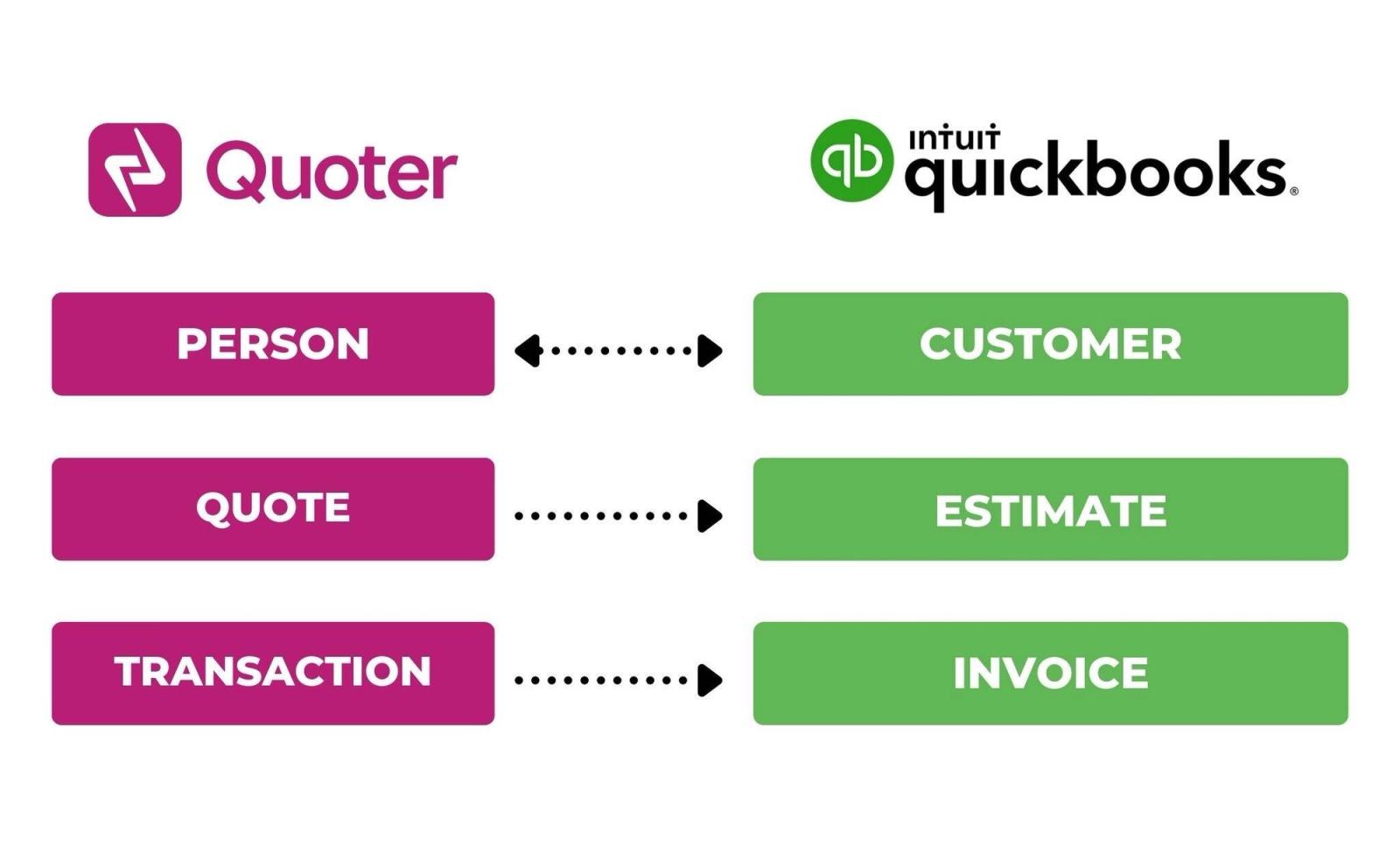
Customer or Person Search Sync When creating a Quote in Quoter, you can search for an existing Customer or Person from QuickBooks, or create a new one.
Estimates created from published Quotes When a Quoter Quote is created, a QuickBooks Estimate will be created automatically along with its Items.
Automatic Invoicing If the “Create QuickBooks Invoices” option is enabled, when a Quoter Quote status is changed to Accepted, Ordered, or Fulfilled, a QuickBooks Invoice will be created automatically.
Push Transaction Value to an Invoice If the “Create QuickBooks Invoices” option is enabled, when a Payment is accepted for a Quote via Quoter, a Transaction will be automatically applied to the corresponding Invoice in QuickBooks.
All your quotes in one place Track performance, follow up on pending deals and collaborate with the team more efficiently from within Quoter.
How to integrate QuickBooks + Quoter?
When signed in to your Quoter Account, navigate to Settings > Integrations to select QuickBooks under Accounting .
Follow the step-by-step guide below:
Vendor family
More from Intuit
Intuit Data Protect
For MSPs managing client IT environments, Intuit Data Protect provides automated daily cloud backups for QuickBooks Desktop for Windows, with encrypted storage, 45-day version history, and in-product backup status checks to speed restores after incidents.
QuickBooks Time
QuickBooks Time helps MSPs manage client IT environments by tracking technician time by job and location, approving timesheets, and scheduling shifts with notifications. It supports the QuickBooks Workforce iOS/Android app, GPS/geofencing, and QuickBooks Online integrations.