

Quoter integration
Quoter + Kaseya BMS
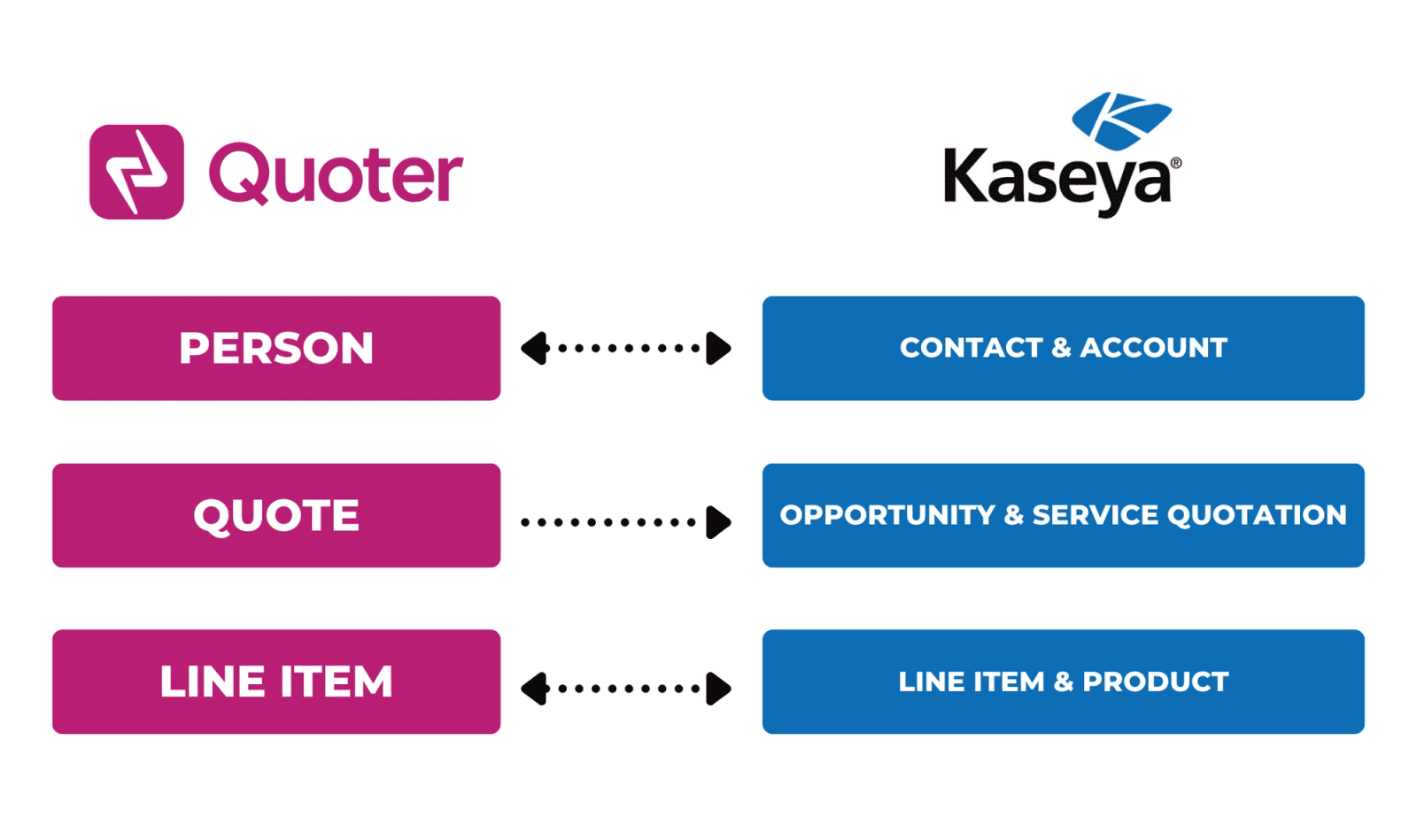
Quoter integrates with Kaseya BMS. Contacts, Companies, Opportunities, and Service Quotations are automatically created in Kaseya BMS when a Quote is created.
Our quoting software integrates seamlessly with Kaseya BMS. Significantly reduce your time spent creating and tracking quotes by integrating with your PSA.
Kaseya BMS is a PSA software for IT and MSP businesses, combining service desk, CRM, billing, project management, and reporting in one platform. It streamlines operations, automates workflows, and enhances efficiency. With seamless integration with Kaseya products and third-party tools, it simplifies client management, financial tasks, and service delivery to boost profitability.
Integration overview
What is Kaseya BMS?
Kaseya BMS is a PSA software for IT and MSP businesses, combining service desk, CRM, billing, project management, and reporting in one platform. It streamlines operations, automates workflows, and enhances efficiency. With seamless integration with Kaseya products and third-party tools, it simplifies client management, financial tasks, and service delivery to boost profitability.
Quoter integrates with Kaseya BMS.
Why Quoter + Kaseya BMS?
Integrating Quoter with Kaseya BMS enables a more seamless, automated, and error-free quoting process, leading to improved productivity, more accurate pricing, and better overall service delivery.
Create or Select an Existing Opportunity When creating a Quote in Quoter, you can search for an existing Kaseya BMS Contact and Opportunity, or create a new one automatically.
Build Quotes using Product and Services in your PSA Maintain a single source or truth for products and services to manage pricing and consistency. Add existing Kaseya BMS Products into Quoter Quotes in real-time.
Automatic Status Updates When a Quoter Quote is won or lost, Quoter will update the status of the pull existing Kaseya BMS Opportunity according to the mapping settings you configure.
All your quotes in one place Track performance, follow up on pending deals and collaborate with the team more efficiently from within Quoter.
How to integrate Kaseya BMS + Quoter?
When signed in to your Quoter Account, navigate to Settings > Integrations to select Kaseya BMS under Professional Services Automation (PSA).
Follow the step-by-step guide below:
 Autotask CSATCustomer satisfaction survey module integrated into Autotask PSA, enabling MSPs to collect client feedback and ratings after ticket resolution.
 IT GlueIT documentation platform for MSPs centralizing passwords, configurations, SOPs, and runbooks with deep PSA and RMM integrations.Autotask PSAProfessional services automation platform providing unified ticketing, billing, project management, and CRM capabilities for managed service providers.